
How to Find the Messages You Need in Telegram: Chat Monitoring with Telegram Expert

Telegram is convenient for work chats, professional communities, and channels, but as the number of sources grows, another problem emerges: useful information gets buried under hundreds of new messages.
Imagine a web development agency that belongs to 20 professional chats. It does not need every message about websites. What matters are specific requests such as “looking for a developer,” “who can build a website?” or “can anyone recommend an agency?” If the team reviews every chat manually, most of its time is spent on messages that bring no value to the business.
In this case, the goal of Telegram monitoring is not to read more. It is to find messages that match predefined criteria and pass them to a person for further action.
Why Search and Folders Do Not Solve the Monitoring Problem
Telegram already provides ways to organize a large number of sources. You can sort chats and channels into folders, separate work groups from personal conversations, pin important sources, and review unread messages separately.

But a folder answers only one question: where are the relevant sources? It does not tell you which message contains the request you care about.
Search serves a different purpose. If you already know what you want to find, you can search within a specific chat or use Telegram’s global search. For example, at the end of the day you might look for brand mentions or a particular word posted over the past week.

Monitoring works differently. You do not know in advance where the relevant message will appear. You want to receive the information when it is published, rather than discover it after spending hours reading through the feed.
Search is useful after an event has already happened. Monitoring is useful when you cannot afford to miss the event itself.
How to Monitor Telegram Messages Effectively
A common mistake is to collect dozens of Telegram chats and immediately start searching them by keywords. The sources alone do not solve the problem. Several details need to be considered first.
Look for Meaningful Signals
Start by defining what kind of message actually requires attention.
- For market monitoring, that signal might be a new price, a product offer, a discount, or a product launch.
- For competitor analysis, useful signals include company and product names, representatives’ surnames, and common spelling variations.
- When looking for potential customers, topic-related words are not enough; expressions of intent matter as well. For example, phrases such as “looking for,” “need,” “can you recommend,” or “who can do this?” can be combined with the name of a service.
- For information monitoring, you can track specific topics, events, technologies, and project names.
This approach keeps you from collecting the entire message stream. You define in advance which events are actually valuable to you.
For example, a web development agency may monitor twenty industry-specific chats. The word “website” on its own is almost useless because it appears constantly. A combination of topic and user intent works much better: “looking for a developer,” “who can build a website?” or “can anyone recommend an agency?”
The more precisely you define the signal, the less time you will spend processing the results.
Use Trigger Phrases, Not a Single Keyword
Even a well-chosen keyword does not guarantee a useful result. The same term can appear in very different contexts.
Suppose you want to find people who are looking for a designer. The word “designer” might appear in messages such as:
- “looking for a designer”;
- “I’m a designer”;
- “designer vacancy”;
- “course for designers”;
- “our designer created a new layout.”
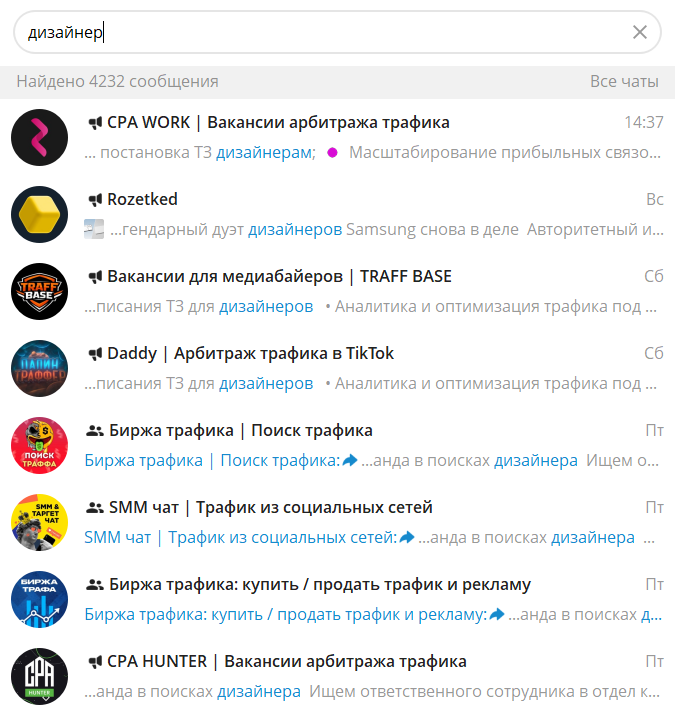
Only the first example is useful if your goal is to find a potential customer.
That is why monitoring is best configured iteratively. Start with a few core triggers. Then review real matches and separately note why irrelevant messages were included. Refine the wording based on those false positives and test the results again.
There is no universal keyword list that works equally well for every use case. A good filter is built from real messages in your actual sources.
This is especially important for commercial monitoring. A high number of matches does not, by itself, mean the search is effective.
Why Context Matters
A revealing example comes from a recent case study involving a Telegram lead-generation tool. In its first 44 hours, the system processed 1,378 messages. The initial filter produced 258 matches. After the context was reviewed, 255 were rejected, and the author considered only three messages to be qualified leads. This is not a statistic for Telegram as a whole, nor is it a universal conversion rate. It is a small experiment with one specific product. Still, it clearly illustrates the problem: a keyword match does not necessarily mean there is a useful request behind it.
False positives occur for many reasons. The same word may be used by competitors, recruiters, course sellers, and ordinary participants in a discussion.
When configuring monitoring, it is therefore useful to examine not only what made it into the results, but also what was included by mistake.
For each keyword, you can collect several dozen real matches and divide them into useful and irrelevant ones. If most of the results are not relevant, change the condition instead of trying to review the entire stream manually.
Do Not Forget to Check the Sources Themselves
Even an accurate filter will not help if some of your sources have stopped working.
A Telegram channel may have stopped publishing long ago, changed its name, become unavailable, or switched to a different format. It can still remain on your source list, and over time you may fail to notice that part of your information coverage has disappeared.
In one OSINT case study, the monitoring setup covered around 100 Telegram channels. The author separately tracked the date of the latest post to identify sources that had been inactive for a long time. This kind of control is useful not only for researchers, but for anyone who depends on comprehensive monitoring.
It is useful to classify sources by status. Active sources regularly produce relevant messages. Noisy sources publish a lot of content but rarely produce useful matches. Sources under review have been inactive for a long time or have changed in some way.
Periodically cleaning up the source list reduces unnecessary load and helps avoid a false sense of complete coverage.
What Happens Next: Every Relevant Message Should Lead to an Action
Monitoring has little value if no one knows what to do after a relevant message is found.
A “looking for a contractor” request can be passed to a sales manager. A competitor mention can be added to a report. A product complaint can be sent to the employee responsible for that area. A new price can be used for market analysis. A recurring customer question can become the topic of an article or post.
This is how monitoring turns message review into a working process.
The same principle applies to other social listening tasks. The value lies not in the mentions themselves, but in the information you can use for product decisions, marketing, content, or further analysis.
If a message does not change what happens next, automation only makes reading faster. A useful system should shorten the path from the appearance of relevant information to an employee’s decision.
How to Set Up Telegram Message Monitoring in Telegram Expert
When the number of sources grows, manual review becomes inconvenient. Telegram Soft Expert includes a dedicated “Interceptor” module for this task.
It monitors selected groups, channels, and conversations for specified words or phrases. When a match is found, the message can be forwarded automatically to a selected group, channel, or conversation. If needed, a link to the original message can be preserved so an employee can open the source and check the context.
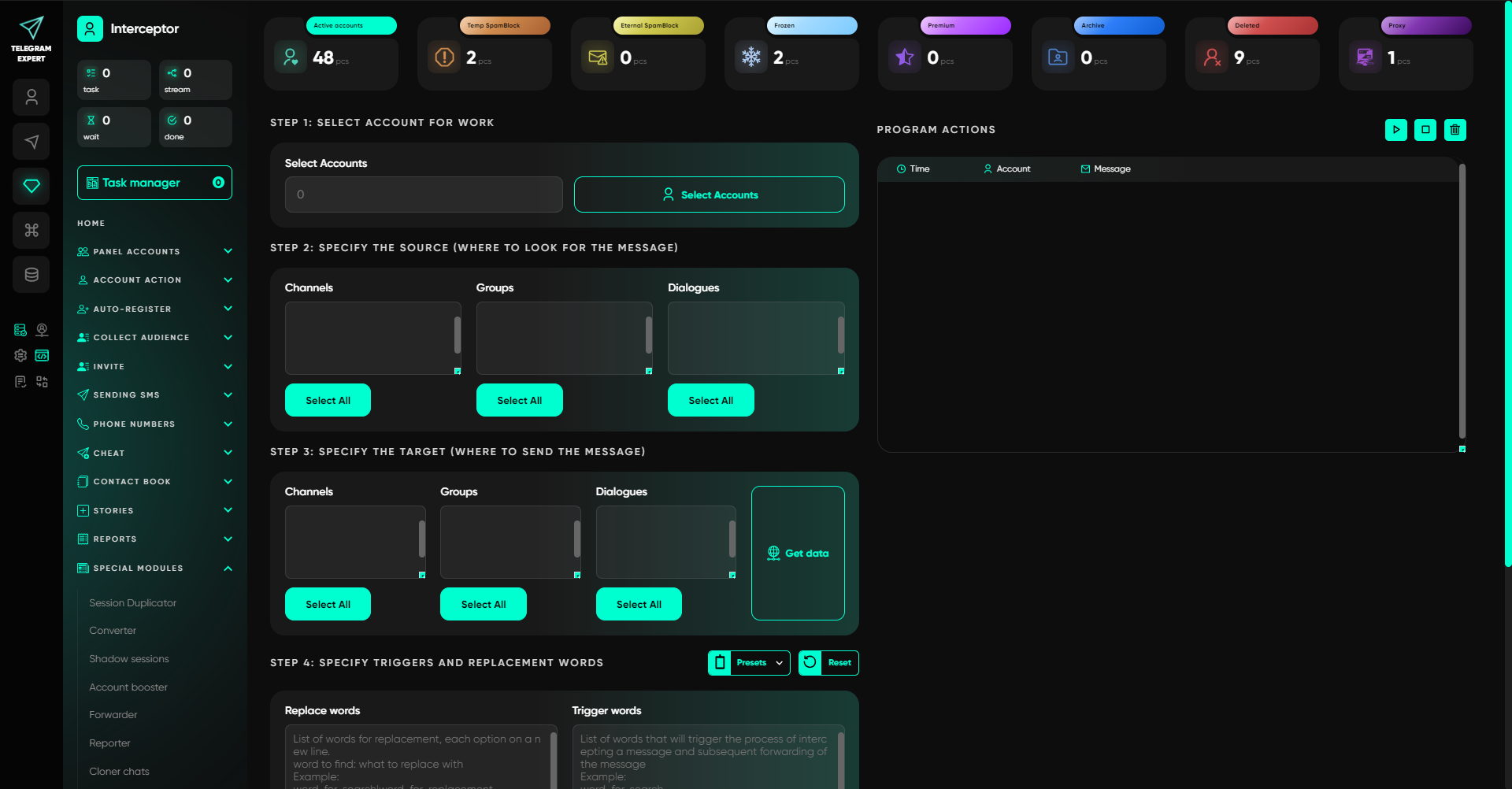
Setup starts by selecting the account that will perform the monitoring. Next, specify the sources to be monitored and the work chat or channel where the results should be sent.
Then add the keywords or phrases. The module also lets you specify words to replace when forwarding messages. You can preserve a link to the original message in the forwarded copy. If a FloodWait occurs, you can configure the waiting time.
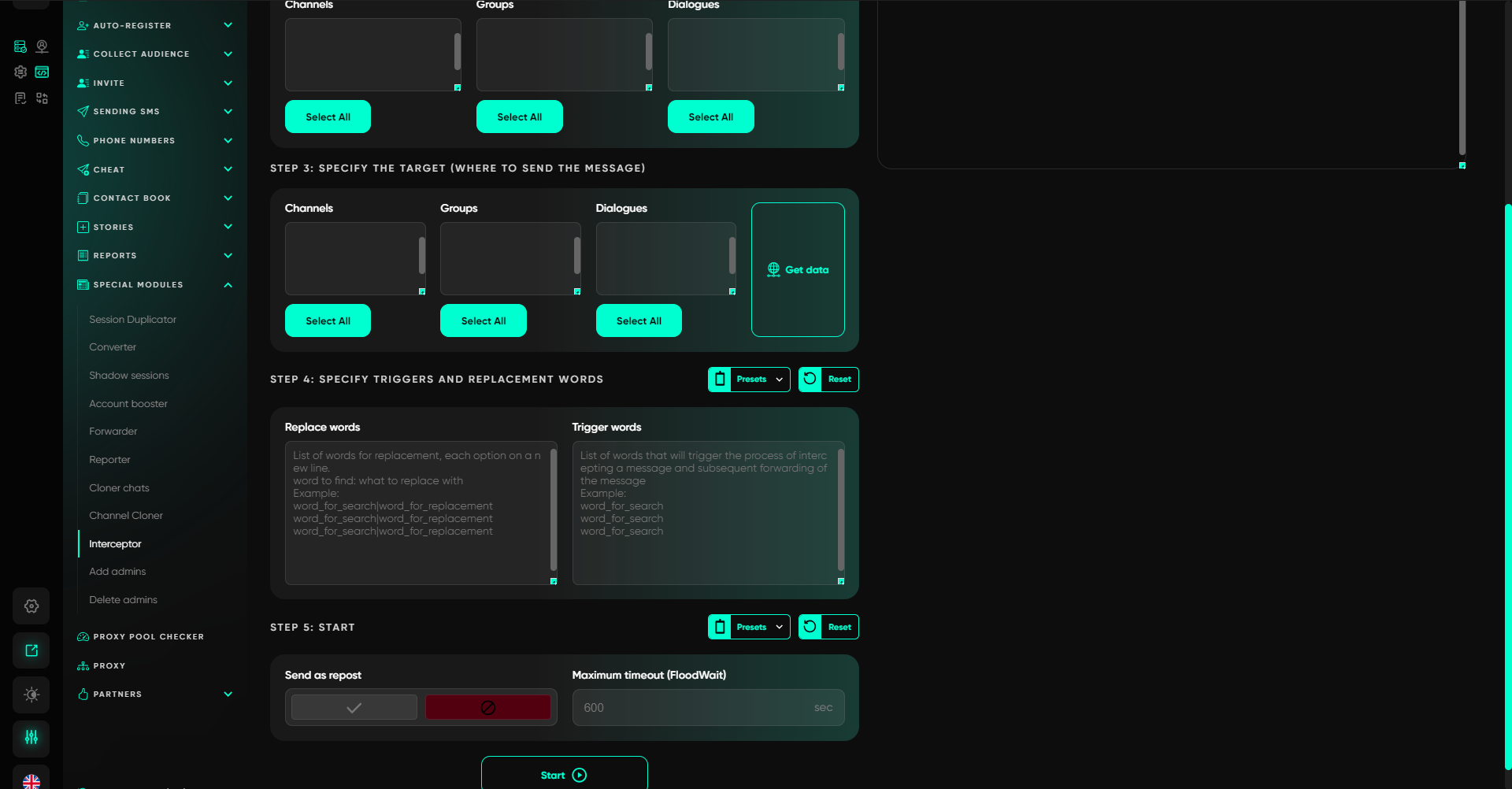
In practice, the workflow is straightforward. Suppose an agency wants to find web development requests in professional chats. It selects the relevant sources, adds several characteristic phrases, and chooses a work chat for the results. When a matching message appears in one of the sources, no one has to search for it through the entire feed. It is delivered to a dedicated place where an employee can review it.
This is exactly the kind of scenario where expert-level Telegram software is useful. The program does not replace a specialist’s judgment. It removes the need to constantly review every source and leaves the person with messages that match the specified criteria.
How to Improve Your Telegram Monitoring Setup
Do not try to cover every possible wording from the start. Begin with a few sources and a limited set of triggers.
After launch, collect real results. See which messages the system identifies correctly and which ones create unnecessary noise. Use those findings to adjust the key phrases and source list.
Evaluate new sources separately. If a channel regularly produces useful matches, keep it in the working list. If its posts almost never match the task, the source only increases the amount of content that has to be processed.
This approach lets you gradually tune monitoring to a specific business process. There is no need to build a huge keyword database in advance. It is much more effective to refine the conditions based on real data.
Telegram Expert is useful in this scenario specifically as a Telegram automation tool. Its “Interceptor” continuously checks selected sources and collects messages that match the specified triggers. The user remains responsible for the decisions that follow.
Who Can Benefit from Automated Telegram Monitoring
This workflow is useful for more than finding potential customers.
A marketer can track mentions of a brand and its competitors. A sales team can look for messages showing clear demand for a service. An agency can monitor requests in industry communities. An analyst can collect messages related to a specific sector. An editor can follow topics that are starting to gain traction in relevant channels.
With only a few sources, manual review may still be reasonable. But when you have to open dozens of chats and channels every day, the problem is no longer Telegram’s interface. You are spending time reviewing information you never needed in the first place.
Telegram Soft Expert lets you automate this routine part of the workflow. The result remains easy to understand: messages matching the specified words and phrases appear in a work chat, and a specialist decides which ones actually require action.
And this is only one of the tasks Telegram Expert can handle. It is a complete toolkit for automating work in Telegram. It can be used to:
- register and configure accounts;
- manage accounts and sessions;
- work with proxies;
- collect target audiences;
- invite users to groups and channels;
- send bulk messages;
- publish content;
- work with chats and channels;
- collect messages based on specified keywords;
- check databases and links;
- analyze work results.
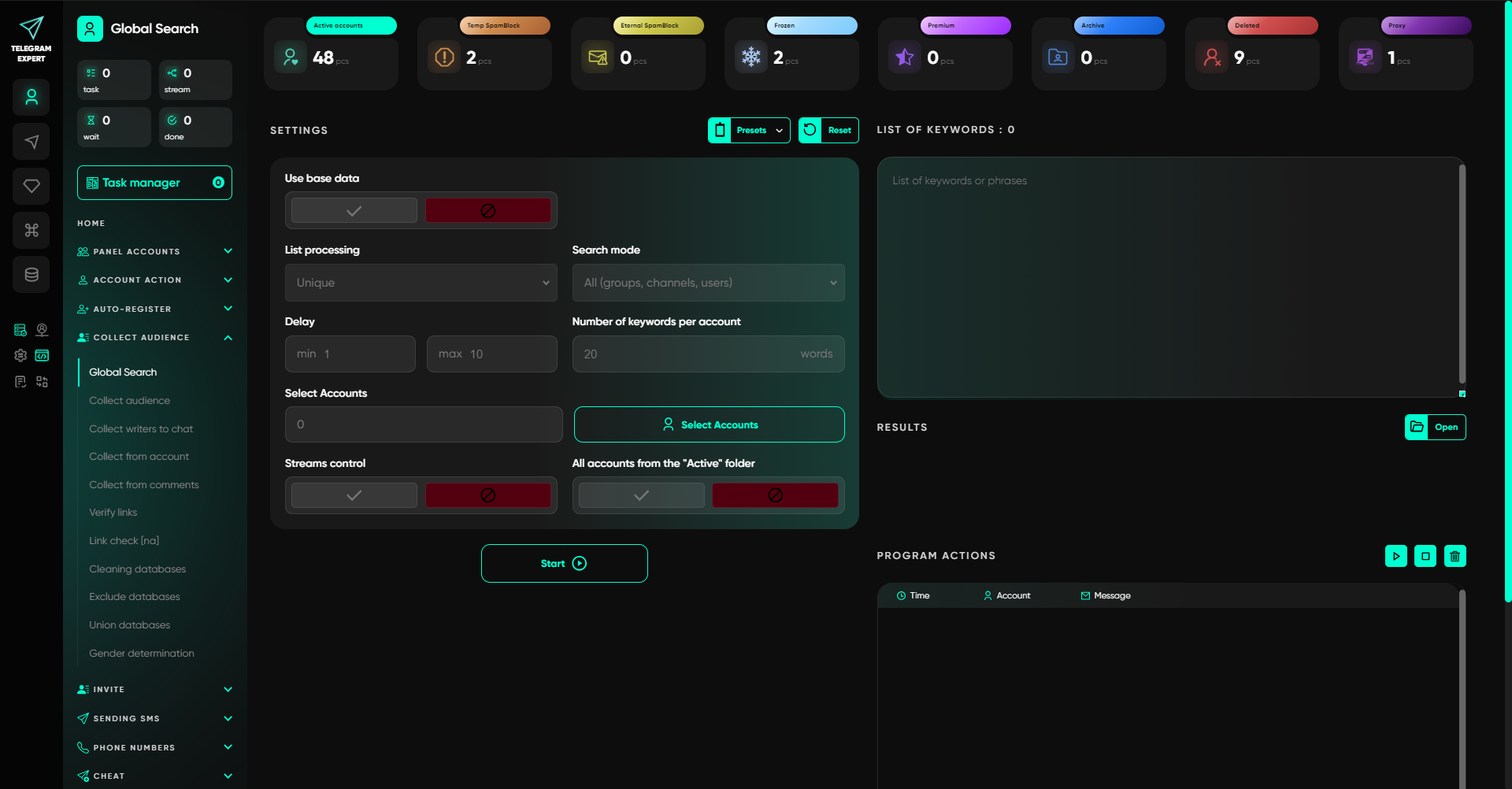
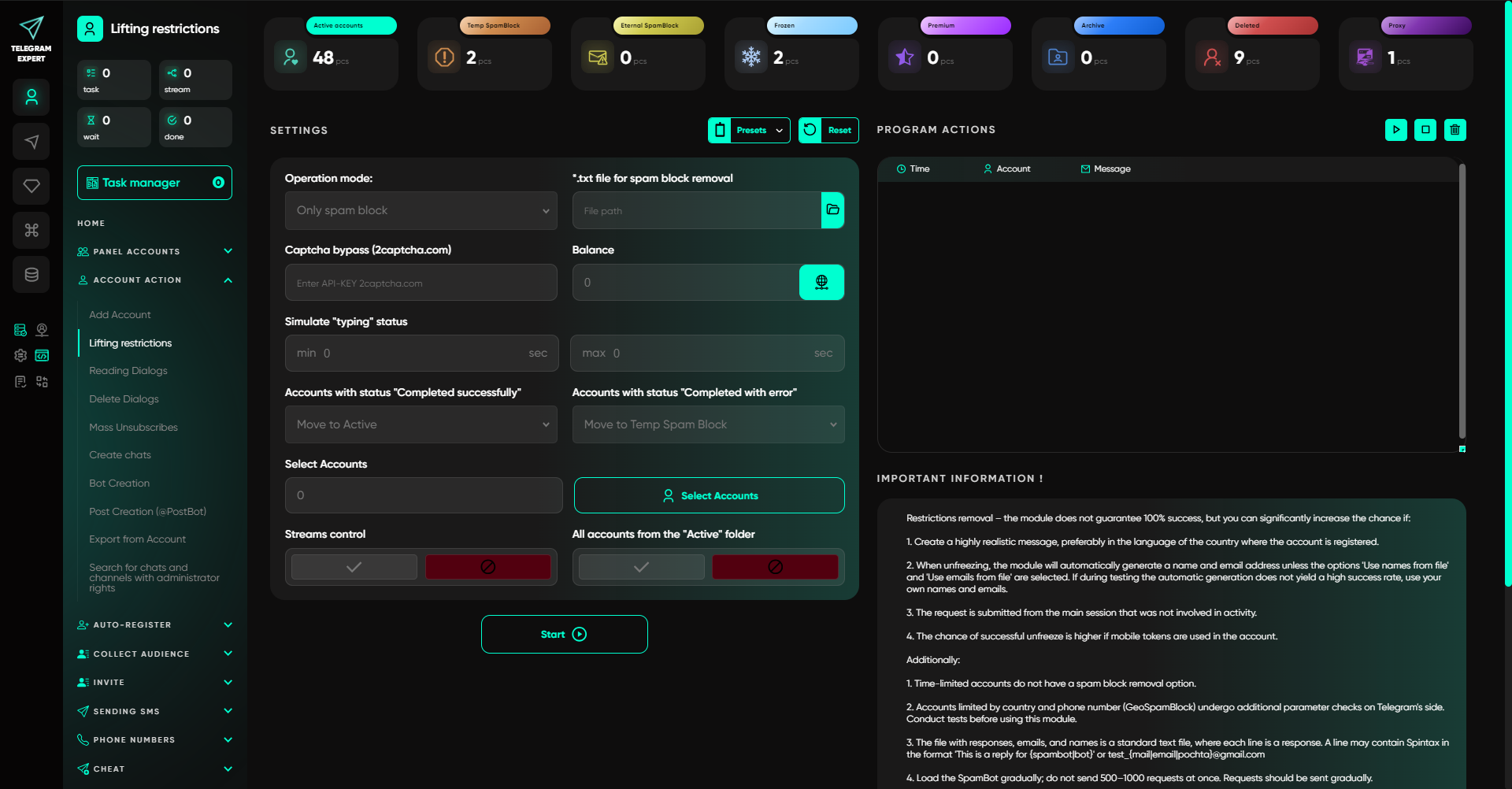
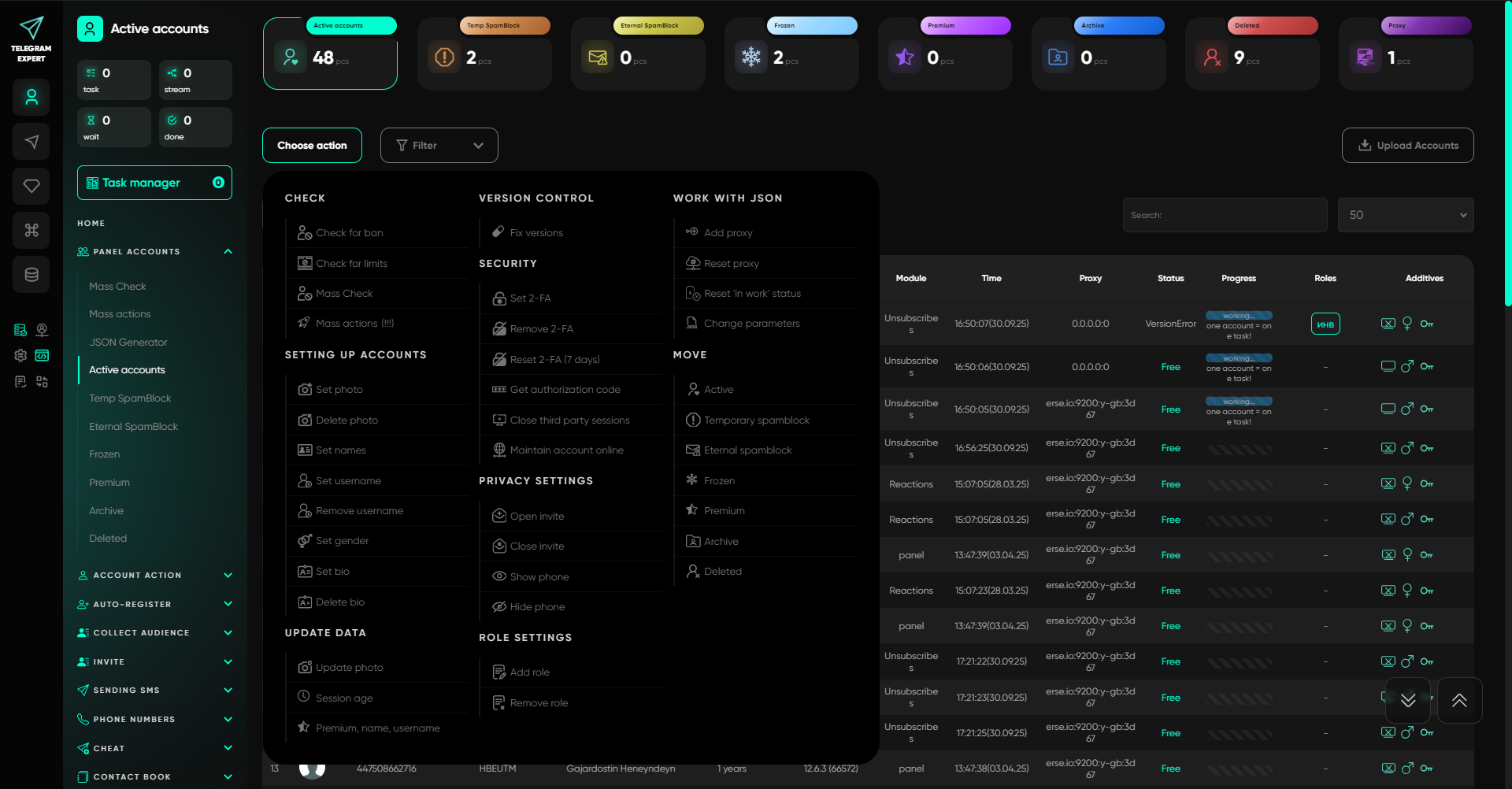
The software is therefore useful for much more than monitoring. It can automate a range of tasks that arise when working with large numbers of Telegram accounts, chats, channels, and audiences.
Key Takeaways
Telegram monitoring does not begin with choosing a program. First, determine which messages are valuable to you, which sources may contain them, and what actions should follow once they are found.
Then test the quality of the filter against real messages. A single keyword will almost always produce irrelevant matches, so the conditions will need to be refined. The source list should also be reviewed periodically.
When there are many sources, manual review becomes a separate task in its own right. Telegram Expert includes the “Interceptor” module, which automatically monitors selected groups, channels, and conversations and forwards messages that match the specified triggers.
The goal is not to read Telegram faster. It is to stop reading what does not require your action.