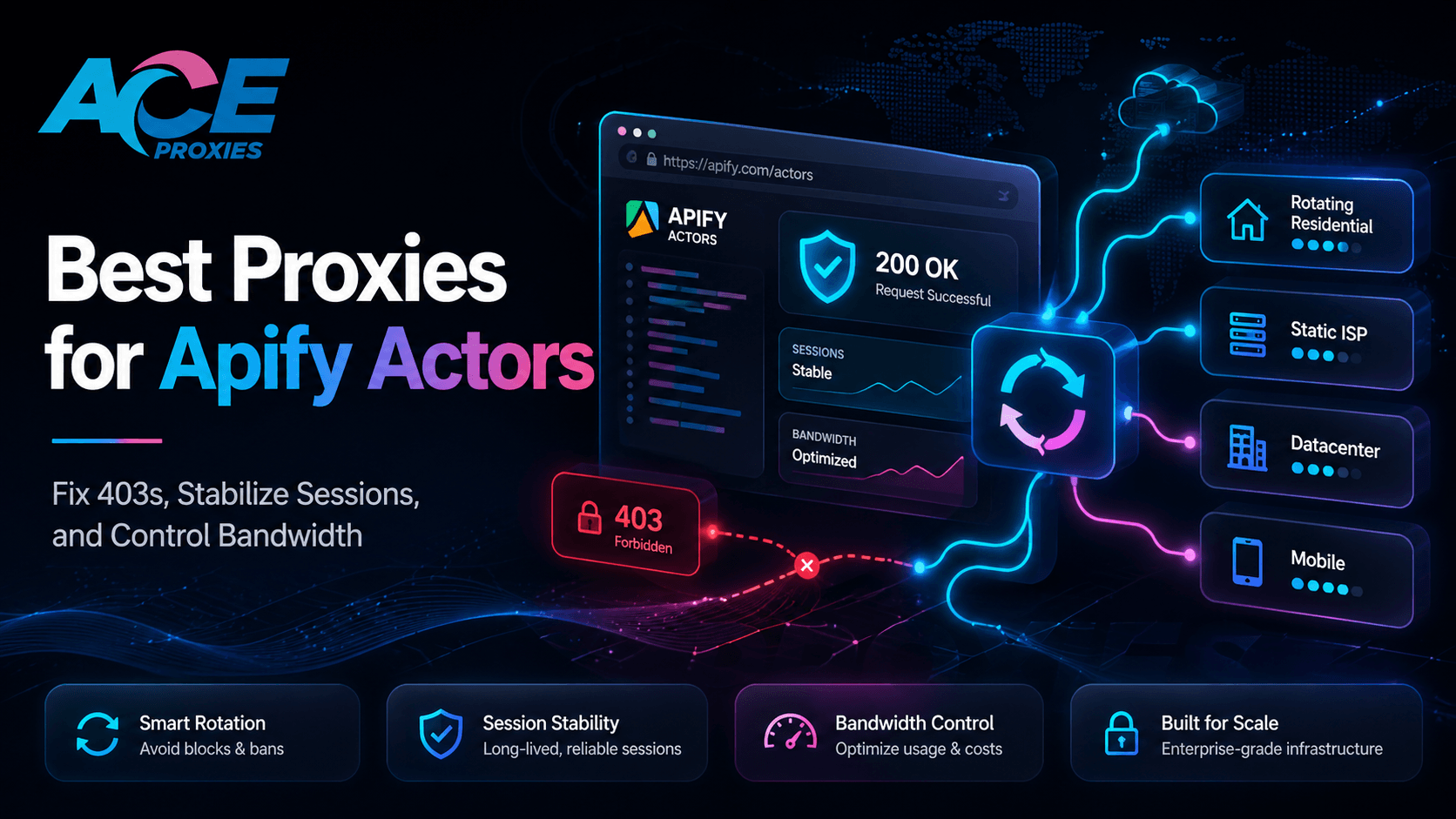
Best Proxies for Apify Actors: Fix 403s, Stabilize Sessions, and Control Bandwidth
Introduction
Apify is incredibly powerful because it allows developers to package complex scraping and automation workflows into repeatable, cloud-hosted Actors. You can run a massive e-commerce product monitor every hour, schedule a competitor research crawler overnight, or deploy a headless Playwright-based browser automation job—all without managing your own servers.
But once your Actor transitions from a 10-page local test to a production-level workload, your proxy quality becomes the defining factor between extracting clean data and burning expensive compute credits.
The common failure pattern looks like this:
You build an Actor. It works locally. It works on the first few URLs. Then, as you scale concurrency, your run starts returning 403 Forbidden errors, 429 Too Many Requests, login loops, CAPTCHA blocks, or inconsistent geo-results. The code is flawless, but the target website’s anti-bot system is no longer treating your requests like a normal human session.
That is where your proxy architecture matters.
Apify supports both its native proxy system and custom proxy URLs. Whether you are using the Apify Console or integrating custom proxy configurations directly into the SDK via JavaScript (proxyConfiguration.newUrl) or Python (proxy_cfg.new_url), your network identity dictates your success rate.
This guide explains how to select the best proxies for Apify Actors, how to properly configure custom Ace Proxies, and how to avoid the fatal proxy mistakes that burn bandwidth, trigger soft bans, and break your scraping sessions.
Why Apify Actors Fail Even When the Code Is Correct
A scraping Actor rarely fails in production due to a bad CSS selector. Production failures happen almost exclusively at the network and session layer. Here are the primary culprits:
1. IP Exhaustion & Rate Limiting
If your Actor blasts hundreds of requests from a single IP address, the target website's Web Application Firewall (WAF) will flag it as automated traffic. Datacenter IPs are exceptionally fast, but because their ASNs trace back to hosting infrastructures (like AWS or DigitalOcean) rather than consumer ISPs, they are much easier for anti-bot systems to block.
2. Random Rotation Destroying Sessions
A massive proxy pool is not always the solution. If your Actor logs into an account, stores cookies, adds items to a cart, or navigates a multi-step dashboard, rotating IPs on every single request will instantly destroy the session. Target websites view rapidly changing IPs holding the exact same session cookie as a hijacked token. This is exactly why Crawlee SessionPool proxy rotation
exists—to tie specific cookies to specific IPs.3. Mismatched Target-to-Proxy Architecture
Not every target needs expensive residential proxies, and not every session should use mobile IPs. The biggest mistake developers make is forcing every Actor through one proxy type.
- Low-protection, static sites run perfectly on Datacenter Proxies.
- High-friction retail sites require Rotating Residential Proxies.
- Login-heavy Actors demand the permanent stability of Static Residential Proxies (ISP).
4. Geo-Mismatches Skewing Data
If your Actor is collecting localized prices, shipping options, or regional search results, the proxy location must perfectly match the business question. A US proxy will return vastly different marketplace pricing than a German proxy.
5. Wasted Bandwidth on Retries
Apify jobs become incredibly expensive when blocked requests trigger endless retries, headless browser reloads, and duplicate queue attempts. Your proxy decision should not be based strictly on the price per GB. The only metric that matters is Cost Per Successful Record. A cheaper proxy that fails 40% of the time is vastly more expensive in compute costs than a premium proxy that completes runs cleanly.
The Wrong Way vs. The Right Way
The Wrong Way: The "One Giant List" Approach
Many teams start by pasting a massive list of rotating datacenter IPs into an Actor and letting it blast requests randomly. This creates immediate chaos:
- Login sessions break instantly.
- Cookies desynchronize from their assigned IPs.
- Bandwidth is heavily burned on 403 retries.
- Geo-output becomes a messy, inconsistent blend of global data.
This approach is especially disastrous for PlaywrightCrawler or PuppeteerCrawler jobs, where headless browsers carry heavy state data.
The Right Way: The "Proxy Lane" Strategy
A production-grade Apify custom proxy setup starts by matching the proxy behavior directly to the Actor’s job type:
- For High-Volume Public Scraping: Use Ace Proxies Rotating Residential Proxies (GB Plans). This distributes requests across a 40+ million IP pool spanning 195+ countries. You can configure rotation per request or at 1, 10, and 30-minute intervals.
- For Session-Sensitive / Login Actors: Use Ace Proxies Static Residential Proxies (ISP). These combine the high-trust reputation of a residential IP with the unbreakable stability of a datacenter. With speeds up to 10 Gbps and unlimited bandwidth, they are perfect for sticky sessions.
- For Fast, Low-Risk Testing: Use Ace Proxies Data Center Proxies. They are dedicated, incredibly fast (1 Gbps), feature unlimited bandwidth, and are highly cost-efficient for public data.
- For Mobile-First Targets: Use Ace Proxies Mobile Proxies. Routing traffic through real cellular carrier networks gives you the highest possible trust score for strict, app-like flows.
Step-by-Step Guide: How to Use Ace Proxies With Apify Actors
Step 1: Match the Proxy to the Actor
Before touching your Apify settings, define the job using this decision matrix:
| Actor Type | Recommended Ace Proxies Plan | Why it Works |
|---|---|---|
| Public Catalog Scraping | Rotating Residential | Massive global IP pool, country targeting, flexible rotation intervals. |
| Login / Dashboard Scraping | Static Residential (ISP) | Unbreakable IP identity, high trust, and unlimited bandwidth. |
| Low-Risk Static Pages | Data Center | Dedicated speeds (1 Gbps) and highly cost-efficient. |
| App Testing / Strict Sites | Mobile Proxies | Leverages real carrier CGNAT traffic for ultimate trust. |
Step 2: Format your proxy URL correctly
Most Apify custom proxy fields and SDKs expect proxy URLs in a standard format. Ensure you use the protocol that matches your Ace Proxies plan:
- HTTP/HTTPS: http://USERNAME:PASSWORD@HOST:PORT
- SOCKS5: socks5://USERNAME:PASSWORD@HOST:PORT
(Note: Ace Proxies Mobile, Static ISP, and Data Center plans all support HTTP/HTTPS/SOCKS5. Rotating Residential plans support HTTP/HTTPS).
Step 3: Add custom proxies in Apify Console (No-Code/Store Actors)
For pre-built Store Actors, configuration is seamless:
- Open your Actor and navigate to the Input tab.
- Scroll to the Proxy and browser configuration section.
- Select Custom proxies (or "Your own proxies").
- Paste your formatted Ace Proxies URLs.
- Save and run a small 20-URL test to confirm authentication and geo-targeting before scaling.
Step 4: Use custom proxies in the Apify Python SDK
If you are building your own Python Actor, utilize Apify’s proxy configuration method:
Code Python
import asynciofrom apify import ActorACE_PROXY_URLS =[ "http://USERNAME:PASSWORD@HOST1:PORT", "http://USERNAME:PASSWORD@HOST2:PORT",]async def main() -> None: async with Actor: proxy_cfg = await Actor.create_proxy_configuration( proxy_urls=ACE_PROXY_URLS ) if not proxy_cfg: raise RuntimeError("No proxy configuration available.") # Pass a session_id for sticky, session-sensitive Actors proxy_url = await proxy_cfg.new_url(session_id="session-1") Actor.log.info(f"Using proxy URL: {proxy_url}")if __name__ == "__main__": asyncio.run(main())Step 5: Use custom proxies in the Apify JavaScript SDK
For JavaScript and Node.js Actors, inject your Ace Proxies URLs into the ProxyConfiguration class:
Code Javascript
await Actor.init();const proxyConfiguration = await Actor.createProxyConfiguration({ proxyUrls:[ 'http://USERNAME:PASSWORD@HOST1:PORT', 'http://USERNAME:PASSWORD@HOST2:PORT', ],});const crawler = new CheerioCrawler({ proxyConfiguration, useSessionPool: true, maxConcurrency: 10, async requestHandler({ request, $, log, session }) { log.info(`Processing ${request.url} with session ID: ${session?.id}`); const title = $('title').text(); log.info(`Title: ${title}`); },});await crawler.run(['https://example.com/page-1']);await Actor.exit();Step 6: Leverage Crawlee Session Pooling
If your Actor relies on Crawlee for headless browser automation, enabling SessionPool is mandatory to avoid Apify proxy 403 errors.
Code Javascript
const crawler = new PlaywrightCrawler({ proxyConfiguration, useSessionPool: true, persistCookiesPerSession: true, // Crucial for stateful scraping maxConcurrency: 5,});The persistCookiesPerSession: true setting ensures that your browser maintains its state, and the SessionPool automatically ties those specific cookies to a specific IP, drastically reducing ban rates.
Step 7: Pick the optimal rotation interval
Rotation frequency should match the target's sensitivity:
- Rotate Every Request: For stateless public pages and broad directory listings.
- 1 to 10-Minute Rotation: For short continuity, category-grouped pages, and preventing single-IP volume bans.
- 30-Minute Rotation (or Static ISPs): For logged-in workflows, persistent carts, and dashboard navigation.
Step 8: Start with conservative concurrency
Never launch an Actor at maximum concurrency on the first run. Bursting a target website with 100 simultaneous threads from a single IP will trigger an immediate ban.
Start with a concurrency of 1–5. Confirm your proxy authentication, verify the HTTP status codes, and check the geographic output. Only scale your concurrency once the success rate fully stabilizes.
(For Ace Proxies Mobile Proxies, a safe benchmark is ~30 concurrent threads per proxy to maintain peak stealth).
💡 PRO TIP:
Build separate "Proxy Lanes" for your Apify workloads. Use Datacenter proxies for high-speed dev testing. Use Rotating Residential for broad data extraction. Switch to Static ISP proxies for sticky, login-heavy jobs.
⚠️ WARNING:
Never use proxies to attack websites, bypass paywalls, or violate laws. Keep your Apify Actors focused on compliant, legitimate data extraction, and always respect target rate limits.
Technical Benchmarks / What to Look For Before You Buy
A professional Apify proxy setup must be measured, not assumed. Ignore vanity pool sizes and focus on the benchmarks that actually impact your pipeline:
1. Cost Per Successful Record (The Ultimate KPI)
Proxy pricing isn't just about the cost per GB.
Formula: (Total Proxy Cost + Apify Compute Cost) / Clean Records Collected.
A cheap proxy plan that triggers massive 403 retries and CAPTCHA loops will burn through your Apify compute credits, making it wildly more expensive than a premium proxy that completes the run efficiently on the first attempt.
2. Session Stickiness
For login-heavy Actors, test whether an account can navigate an entire workflow without triggering a re-verification loop. Static Residential Proxies (ISP) are the undisputed kings here, keeping the IP locked indefinitely while maintaining residential-level trust.
3. Rotation Controls
Your proxy provider must allow you to control the rotation logic. Ace Proxies Rotating Residential plans grant you the flexibility to rotate per request, or at 1, 10, and 30-minute intervals, giving you total control over the Crawlee session logic.
4. Geographic Accuracy
A proxy may display the correct country in a basic IP lookup, but strict targets use language headers, GPS prompts, and payment region flags to verify location. Always validate your proxy's geo-accuracy by examining localized currency, shipping options, and regional search results within the Actor's output payload.
Final Verdict
The best proxies for Apify Actors are not found in a one-size-fits-all solution; they are found by matching the exact proxy architecture to the Actor’s specific workload.
- Use Ace Proxies Rotating Residential Proxies (GB Plans) when your Actor is executing large-scale, stateless public data collection across global targets.
- Use Ace Proxies Static Residential Proxies (ISP) when your Actor relies on session stability, account continuity, and predictable IP identity.
- Use Ace Proxies Data Center Proxies for high-speed, low-risk testing and public QA runs.
- Use Ace Proxies Mobile Proxies when your workflow demands absolute carrier realism to bypass ultra-strict anti-bot barriers.
Stop burning your Apify compute credits on failed retries and soft bans. Upgrade to a tiered proxy architecture. Head over to the Ace Proxies Plans Page today, select the dedicated lane that matches your Actor’s workload, and start extracting data cleanly.
FAQ Section
What are the best proxies for Apify Actors?
The ideal proxy depends entirely on the Actor's task. Rotating Residential Proxies are best for massive, stateless public-data extraction. Static Residential Proxies (ISP) are optimal for sticky sessions and login-heavy workflows. Datacenter Proxies are best for fast, low-risk testing, and Mobile Proxies are required for strict, carrier-sensitive targets.
How do I add custom proxies to Apify?
For pre-built Actors, open the Apify Console, navigate to the Actor input tab, expand the “Proxy and browser configuration” section, and paste your custom proxy URLs. For custom-built Actors, utilize the SDK methods like Actor.create_proxy_configuration() in Python or Actor.createProxyConfiguration() in JavaScript.
Should I rotate proxies on every request in Apify?
Only rotate on every request when scraping independent, public pages where maintaining cookies or login states is unnecessary. If your Actor is navigating a cart, dashboard, or multi-step workflow, you must use sticky sessions, timed rotation, or dedicated Static ISP proxies to avoid session bans.
Why am I getting 403 errors in Apify?
403 Forbidden errors occur due to poor IP reputation, aggressive concurrency from a single IP, geo-mismatches, or broken session behavior. To fix this, lower your concurrency, implement Crawlee Session Pools to tie cookies to specific IPs, and upgrade your proxy lane to a higher-trust tier (like Residential or Mobile).